Better control with data tables and material handling

The Haskoning Witness 28 release brings a set of practical improvements to Data Tables and Material Handling.
These updates focus on two things:
- Making Data Tables easier to work with in real models
- Giving you more visibility and control over how items move through material handling systems
Data Tables: More Flexible and Easier to Use
Data Tables are often at the centre of model logic, but using them for working model information, such as job lists, has not always been straightforward. This release adds a set of functions that make common tasks much simpler.
Working with Rows
You can now manage rows without looping through them and managing them yourself:
- DTInsertRow() – Add a new row where you need it
- DTDeleteRowNum() (& Str and Name) – Delete rows based on filters
This makes it easier to keep tables clean and up to date during a run, without extra workarounds.
Referencing Columns by Name
Instead of relying on column positions, you can now use:
- DTColumn() – Access fields by column name
This makes models easier to read and less fragile if table structures change.
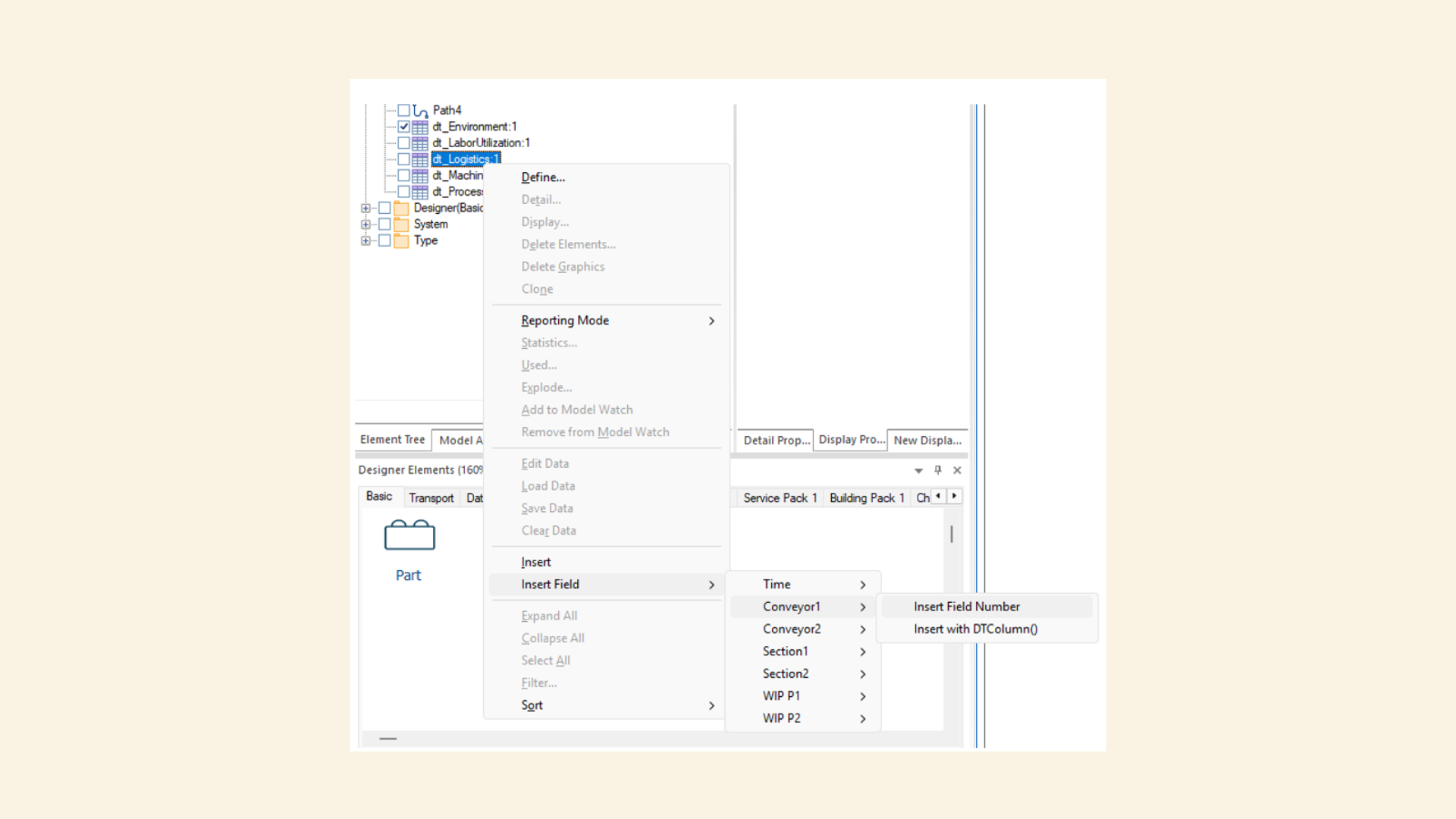
You can also insert column names of indexes into Rules, Actions or Expressions more directly using Insert Field from the Element Tree (like Insert with Prompt) – just right click your Data Table. This helps when building or modifying tables dynamically.
Experimenter Support
Data Tables also now work with the Experimenter, making it easier to:
- Load and adjust input data
- Run variations without creating lots of variables
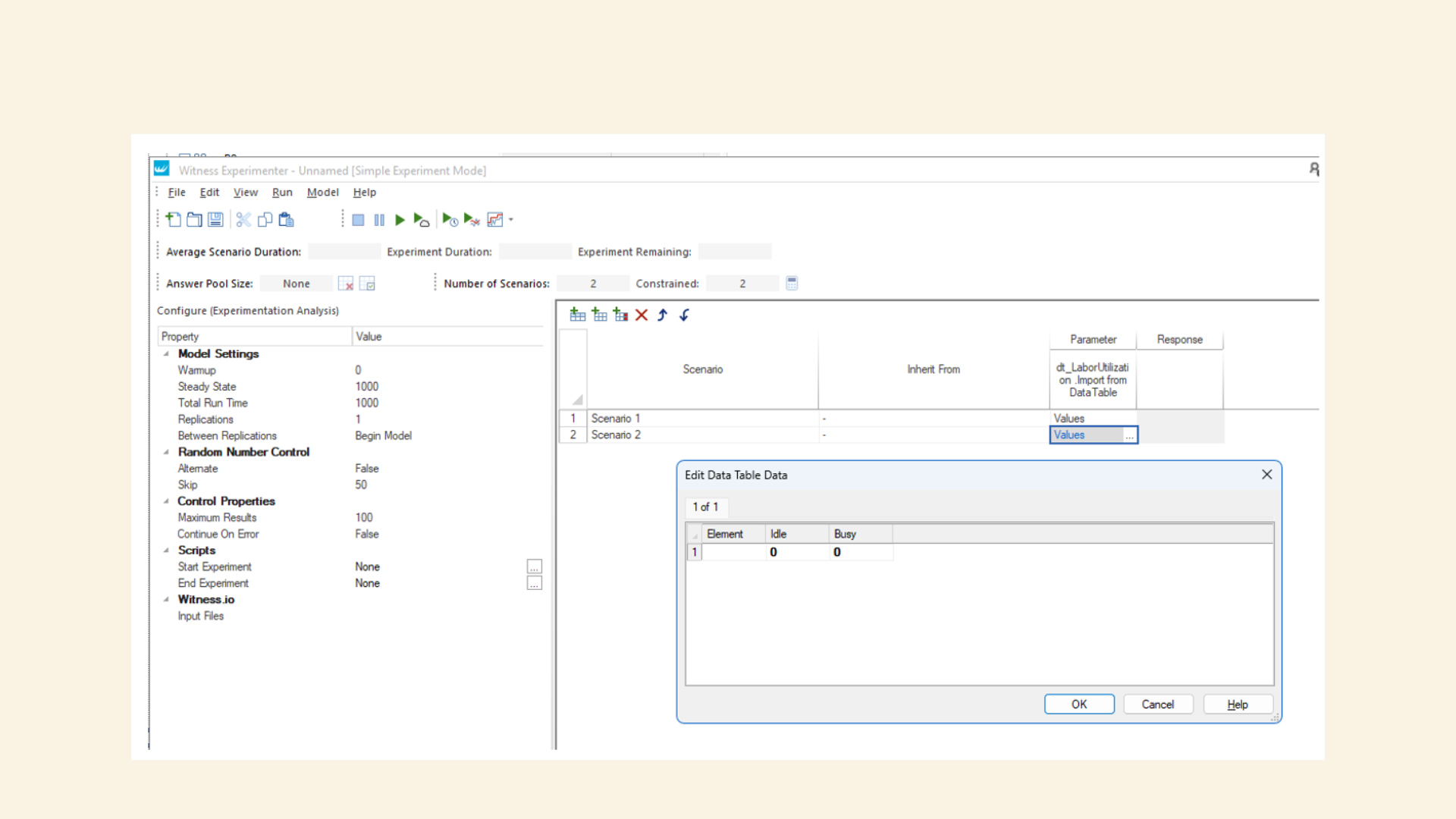
There are two options here when you add a parameter to an experiment
- "Import from DataTable"
- "Link to DataTable"
The 'Import from DataTable' and 'Link to DataTable' parameters only behave differently if the experiment is saved, closed, the data in the Data Table is altered in the model, and the experiment is re-opened. The difference is that, for an Import parameter, the snapshot of data taken at the time of the creation of the parameter will be retained as part of the experiment file and used as the baseline data; but for a Link parameter, a new snapshot of data will be taken each time that Experimenter is opened, and each snapshot will be used as the baseline data as long as Experimenter remains open, and that data will not be retained as part of the experiment file.
Hence, an Import parameter would be more useful if the current state of the Data Table is a good set of data that you would like to be used every time that you run the experiment; whereas a Link parameter would be more useful if the baseline data of the Data Table is likely to change, and you would like the updates included in different runs of the experiment.
Material Handling Improvements
Material handling support has also been extended in Witness 28, especially around conveyors, tracks, and logging.
Actions on Output
You can now trigger logic when items leave key elements:
- Tracks – Actions on output from tracks
- Conveyors – Actions on output from conveyors
This gives you more control at handover points, where decisions often need to be made.
Journey Logging
A major addition in this release is improved Journey Logging.
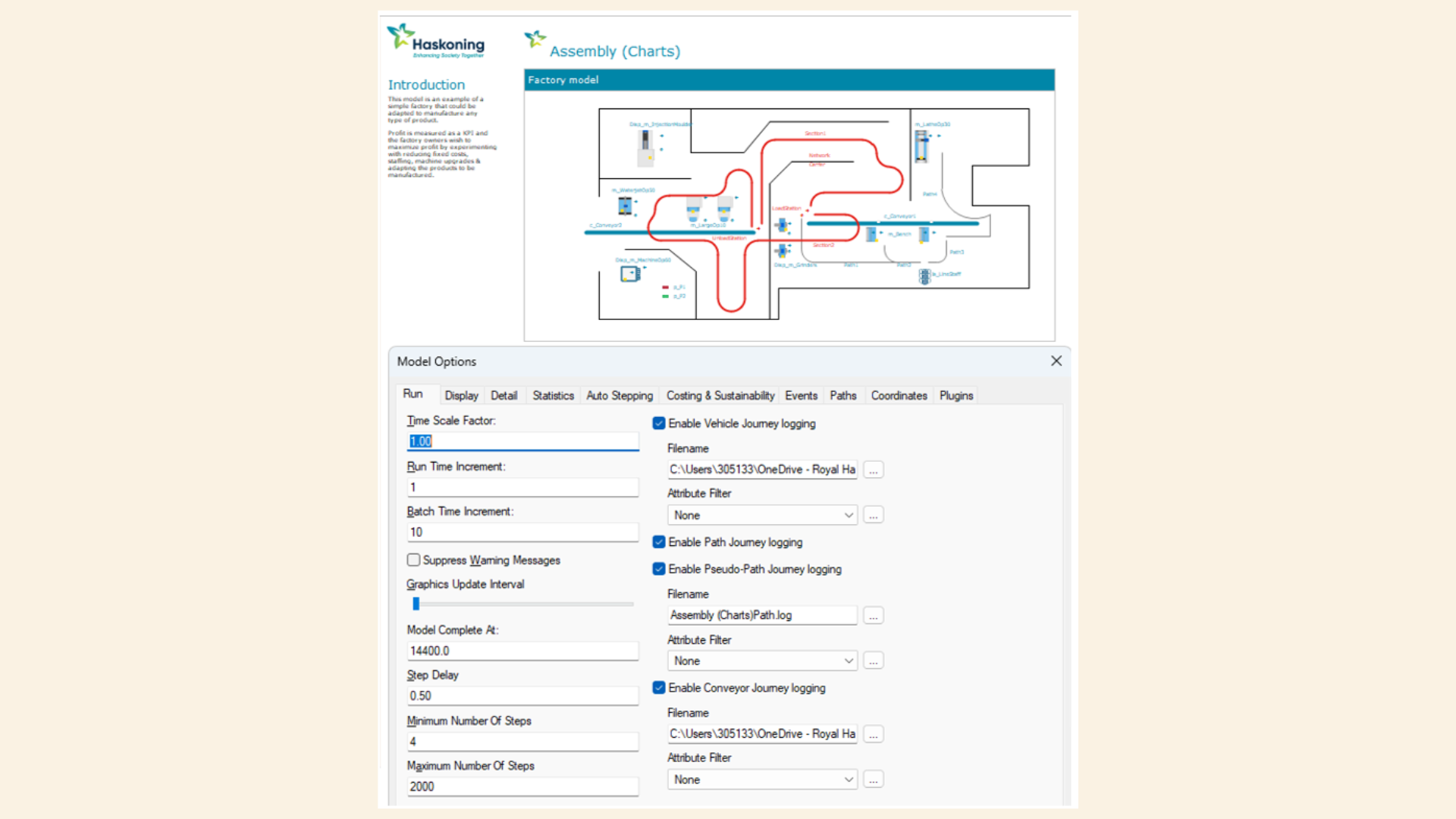
You can now track how Parts move through Conveyors, including front‑edge and rear‑edge events, extending existing Path, Track, and Vehicle logging to show not just where items are, but how they reached there.
Setting Up Logging
New functions make this easier to control from Actions code:
- SetJourneyLogging() – Turn logging on or off
- SetJourneyLogFile() – Choose where logs are written
UNCALL Enhancements
With Tracks and Vehicles systems using the inbuilt CALL and VSEARCH operations, once a vehicle had been assigned to a job it was not possible to re-assign it. Now we have the UNCALL action. You can free up all vehicles to be re-assigned:
UNCALL VehicleName, ALL
Or be more specific:
UNCALL VehicleName, LoadTrack, UnloadTrack, Priority, AttributeName, Expression
This lets you cancel or adjust calls based on more detailed conditions, rather than relying on broad rules.
Why This Matters
These updates focus on everyday modelling problems:
- Keeping Data Tables manageable
- Making logic easier to follow
- Understanding how items move through a system
- Controlling behaviour at key decision points
They don’t change how you build models at a high level, but they remove a lot of friction when working on real-world scenarios.
The improvements to Material Handling and Data Tables in Witness 28 are all about clarity and control.
You can work with data more directly, respond to events more precisely, and understand movement through your system in more detail.
If your models rely heavily on tables or complex handling logic, these changes should make day-to-day work noticeably easier.